
SoulLinker - Video Chat Online
Echoo TeamSocial
4.8126.00 Reviews
- Version
- 1.0.30
- Installs
- 500.00K
- Age Rating
- Mature 17+
Screenshots
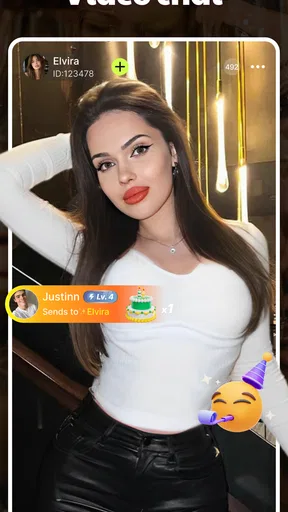
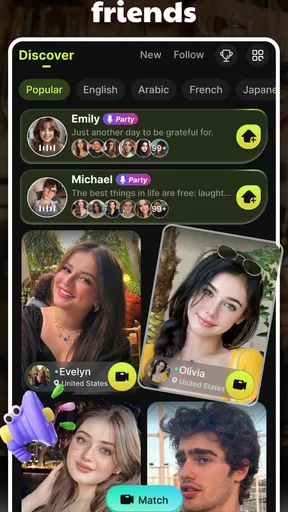
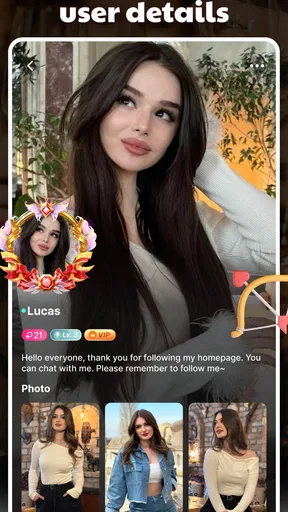
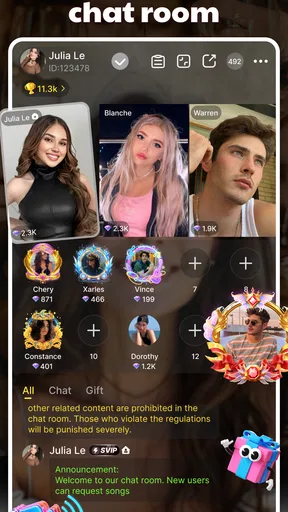
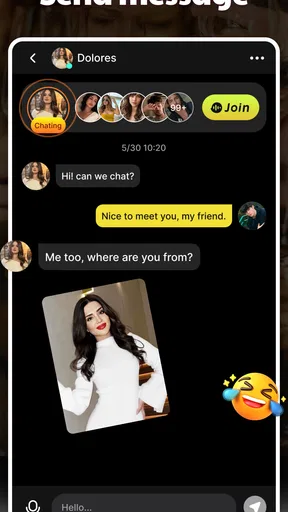
Our Review of SoulLinker - Video Chat Online
 Analysis by Appyee
I approached SoulLinker as a social app for people who want a more immediate way to meet strangers through private video conversations. That focus makes it feel very different from a feed-based network: there is no need to build a public profile, wait for reactions, or compose the perfect message before anything happens. The central experience is direct, personal, and potentially unpredictable.
That unpredictability is also the reason I would not recommend it casually to everyone. Video chatting with unknown people can be exciting when you want spontaneous conversation, but it asks for more confidence and stronger boundaries than ordinary messaging. My overall impression is that SoulLinker is most useful when you treat it as a controlled social experiment rather than as a replacement for close friends or a conventional community platform.
How SoulLinker feels in everyday use
The app belongs to the social category and is developed by Echoo Team. It is free to install, with optional purchases ranging from $2.99 to $99.99 per item. That combination makes trying the basic experience relatively easy, but I would still advise checking the purchase flow carefully before spending anything, especially if you are simply exploring whether this style of interaction suits you.
Its audience is clearly adult. SoulLinker carries a Mature 17+ rating, which is important context rather than a minor label. Anyone considering it should understand that conversations with strangers may be awkward, flirtatious, intense, or simply unsuitable for their comfort level. I would not hand this app to a younger teenager, and I would encourage adults to use it somewhere private without revealing personal details.
In a realistic everyday situation, I can see the appeal after a long day when I want human contact but do not want to maintain a public social feed. A short video conversation can feel more natural than sending messages back and forth. Facial expressions and tone provide context immediately, so a friendly exchange may develop faster than it would in text. On the other hand, the same immediacy means I cannot carefully edit the interaction or control every impression I make.
That trade-off is central to the experience. SoulLinker is not ideal for someone who wants predictable, topic-focused discussion. It is better suited to a person who enjoys meeting unfamiliar people, can leave a conversation without feeling guilty, and is comfortable accepting that some connections will be brief or disappointing.
The strongest part is the low-friction social contact
The private video format gives the app a clear identity. Instead of asking users to perform for a large audience, it puts attention on one conversation at a time. I find that more personal than scrolling through public posts, and it can be less exhausting than trying to keep up with several group chats.
There is also a useful emotional distinction between a private conversation and a public social profile. A profile encourages people to present a polished version of themselves, while live video makes the interaction more immediate. That can help a genuine conversation begin quickly, but it can also expose differences in communication style right away. If you prefer to understand someone gradually through messages, the format may feel too demanding.
My practical tip is to decide what kind of interaction you want before opening the app. If you are bored, lonely, or curious, that is fine, but a simple goal helps: perhaps you want a brief conversation, a chance to practice speaking with new people, or a way to break up a routine evening. Without that boundary, it is easy to spend time moving from one shallow exchange to another and finish feeling less satisfied than expected.
The current version and what it suggests
The current release is version 1.0.30, and the app was released on November 28, 2024. Those details place SoulLinker in a relatively early stage of its product life, so I view it as an evolving service rather than a completely mature social environment. The version number shows that Echoo Team has already moved beyond its first release, but it does not by itself guarantee that every part of the experience will feel polished.
For existing users, that early-stage position can be positive. A focused app has room to refine the way people discover conversations, handle uncomfortable interactions, and decide when a connection should end. It also means users should expect the experience to change over time. I would keep the app updated and revisit its settings occasionally instead of assuming that the layout or available controls will remain exactly the same.
What matters most to me is not the number attached to the version, but whether future updates make spontaneous video chat feel safer and easier to control. Improvements in those areas would have a direct effect on daily use. A new visual design would be welcome, but better control over who can contact me, clearer handling of unwanted behavior, and smoother conversation transitions would be much more valuable.
The app has already attracted over 500 thousand installs, with a 4.8 average from around 1.1 thousand ratings. That level of interest suggests the concept is reaching people who want this kind of direct social contact. Still, popularity should not be confused with personal fit. A high average can tell me that many users enjoy the idea, but it cannot predict whether I will like speaking to strangers on camera after a stressful day.
How it compares with familiar social alternatives
Compared with a traditional messaging app, SoulLinker removes much of the waiting and typing. Messaging is better when I want to think before replying, share information carefully, or maintain a conversation across a busy schedule. SoulLinker is better when the point is presence: hearing a voice, seeing a reaction, and finding out quickly whether two people have anything to discuss.
It also differs from a public social network. A public feed gives me more control over what I reveal and lets me choose content passively. SoulLinker asks me to participate actively. That can create a stronger sense of connection, but it also creates more pressure. If I want entertainment without social obligation, a video platform or public feed is a better choice.
Compared with group video services, the private format is more focused and potentially less chaotic. I do not have to compete with several voices or wait for a turn. The downside is that a poor match affects the entire conversation. In a group, another participant may keep the discussion interesting; in a one-to-one exchange, I have to decide quickly whether to continue or leave.
For people seeking a long-term community, a forum or interest-based network may be more rewarding. Those services organize conversation around shared subjects, while SoulLinker is centered on the meeting itself. I would choose the latter for spontaneity, not for building a dependable knowledge group or a carefully structured social circle.
Small habits that make the experience better
My first recommendation is to protect identifying information from the beginning. A private video call can reveal more than a user intends through a name displayed nearby, a school or workplace logo, a visible street view, or documents left in the background. I would use a neutral setting, avoid showing personal items, and keep the camera angle simple. This is a practical habit, not an accusation toward every stranger.
Second, I would prepare a neutral opening question. Asking about hobbies, music, travel, or the reason someone opened the app gives the conversation a gentle starting point without demanding anything intimate. It also helps me recognize quickly whether the other person respects normal boundaries. If the exchange becomes uncomfortable, I would end it rather than trying to rescue it out of politeness.
Third, I would treat the purchase system as something to manage deliberately. Because the app is free but includes optional items priced from $2.99 to $99.99, I would not buy anything during a rushed or emotionally charged session. I would first decide whether the unpaid experience already provides the kind of interaction I want, then consider whether a purchase solves a real problem for me. Spending should never be a way to chase a better conversation after a disappointing match.
A fourth useful habit is to separate curiosity from commitment. One enjoyable conversation does not mean I need to exchange personal contact details or continue the relationship elsewhere. I can appreciate a good interaction and still keep the connection inside the app. That boundary is especially important in a service built around meeting people I do not know.
Where the experience still has friction
The biggest limitation is inherent in the concept: strangers are unpredictable. Some conversations will be pleasant, while others may be silent, awkward, or incompatible. No interface can completely remove that social uncertainty. If I am looking for guaranteed quality, a moderated interest group or a community built around a known topic would probably serve me better.
Video also demands more from the user than text. I need a reasonably private place, enough energy to participate, and a willingness to be seen. That makes SoulLinker less convenient during a commute, in a noisy home, or when I want quiet interaction. A messaging app wins in those moments because it lets me respond at my own pace.
The Mature 17+ rating is another reason to be selective about where and when I use it. I would not assume that every conversation will match my expectations simply because the app has a social purpose. Anyone uncomfortable with adult themes, direct attention, or abrupt interactions should skip it rather than hoping the experience will become comfortable later.
There is also a difference between private and safe. A conversation may be private in the sense that it is not a public broadcast, but that does not automatically make the person on the other side trustworthy. I would avoid sharing a phone number, address, financial information, workplace details, or social account names until I had a strong reason to do so—and in many cases, I would keep those details private permanently.
Who should try it, and who should pass
I think SoulLinker is a reasonable choice for adults who enjoy spontaneous conversation and want something more personal than scrolling. It may suit someone practicing confidence in short social exchanges, provided they are comfortable ending calls and protecting their identity. It can also work for a person who wants occasional, low-commitment contact rather than another platform that demands regular posting.
I would be more cautious recommending it to someone who is feeling especially vulnerable or desperate for reassurance. Conversations with strangers can be uplifting, but they can also be dismissive or uncomfortable. If a negative interaction would affect your mood for the rest of the day, a trusted friend or a moderated community is likely a healthier first option.
I would also tell privacy-focused users to think carefully before installing. The entire appeal depends on live personal interaction, so anyone who dislikes being on camera or who wants complete control over self-presentation may find the format stressful. The app is not a better version of every social tool; it is a narrower tool for a particular kind of contact.
What I would watch as the app develops
Because SoulLinker is still a young product, I would pay attention to how Echoo Team handles the balance between speed and control. The best future direction would preserve the quick path into conversation while giving users clearer ways to manage unwanted contact and leave interactions without friction.
I would also watch whether the app becomes more useful for purposeful conversations without losing its spontaneous character. Topic preferences, better ways to signal conversational boundaries, or thoughtful tools for returning to worthwhile connections could make the service more valuable. Those changes would matter more to me than simply adding visual decoration.
For current users, the sensible approach is to judge each update by its effect on everyday confidence. Does it make it easier to start a conversation, recognize a poor match, protect personal information, and stop when needed? Those are the questions that determine whether the app earns a regular place on a phone.
My final view is positive but measured. SoulLinker offers a direct social experience that ordinary feeds and messaging apps do not reproduce, and its free entry makes it easy to test. At the same time, the Mature 17+ audience, optional spending, and unpredictability of private video chat require adult judgment. Its real strength is immediacy, while its real cost is reduced control.
I would recommend it to a careful adult who genuinely wants to meet strangers through live conversation and understands how to keep firm boundaries. I would skip it when I need dependable discussion, quiet communication, or a carefully moderated community. Used with realistic expectations, it can provide a refreshing break from passive scrolling; used without limits, it can quickly become an uncomfortable way to spend time.
Verdict
Strengths of SoulLinker - Video Chat Online
- Simple interface makes starting video chats quick and accessible.
- Supports spontaneous conversations with people from different locations.
- Video interaction feels more personal than text-based social apps.
- Useful for practicing communication and meeting new contacts.
- Compact design generally works well on modern Android and iOS devices.
Limitations of SoulLinker - Video Chat Online
- Matching quality can vary, so some conversations may feel uninteresting.
- Requires a stable internet connection for smooth video and audio.
- Privacy settings should be checked carefully before chatting with strangers.
- Some features or extended usage may depend on in-app purchases.
- Unexpected users or inappropriate behavior can make moderation important.
Similar Picks in This Category
View All
Meta Platforms, Inc.4.6

Instagram4.0

Likee-Live, Chat & Party Games
Likeme Pte. Ltd.4.4

Facebook Lite
Meta Platforms, Inc.4.5

TikTok - Videos, Shop & LIVE
TikTok Pte. Ltd.4.0

Moj: Free Short Drama & Reels
ShareChat4.1
Frequently Asked Questions
What is SoulLinker - Video Chat Online, and how does it work?
SoulLinker - Video Chat Online is designed for meeting and communicating with people through online video conversations. After creating or accessing an account, users can typically browse available profiles, start chats, and use video or text features depending on the other person’s availability. The experience depends on your internet connection, device permissions, and the number of active users in your region.
Is SoulLinker - Video Chat Online free to use?
The application may be available to download at no initial cost, but some communication features, virtual items, premium functions, or extended usage may require in-app purchases or subscriptions. Before confirming a payment, check the pricing, renewal terms, and cancellation instructions shown in the app store or inside the application. Availability and costs can also vary by country and platform.
Is SoulLinker safe for meeting and chatting with strangers?
As with any random video chat or social discovery service, users should be careful when interacting with people they do not know. Avoid sharing your address, passwords, financial information, private documents, or other sensitive details. Use blocking and reporting tools when available, and leave conversations that become threatening, inappropriate, or uncomfortable. Parents should supervise younger users.
What permissions does SoulLinker - Video Chat Online require?
A video chat application commonly requests access to the camera and microphone so that calls can function properly. It may also request notifications, storage, or network-related permissions for messaging and account features. Review each permission before accepting it, and disable access that you do not consider necessary through your Android or iOS privacy settings. Refusing essential permissions may limit video or audio functions.
Why might video calls or matches not work properly in SoulLinker?
Problems can result from weak Wi-Fi or mobile data, disabled camera or microphone permissions, an outdated app version, device compatibility issues, or limited user activity at a particular time. Restarting the app, checking permissions, updating the operating system, and switching networks can help. If the issue continues, consult the app’s support options and avoid repeatedly purchasing features while the service is not working correctly.
